안녕하세요
오늘은 저번 포스팅에 이어서
파이어베이스로 구글 로그인 하는 방법에 대해 정리해보겠습니다.

구글 로그인 방법
우선
공식 문서의 Google 로그인 구현 3번까지 따라해 주세요!
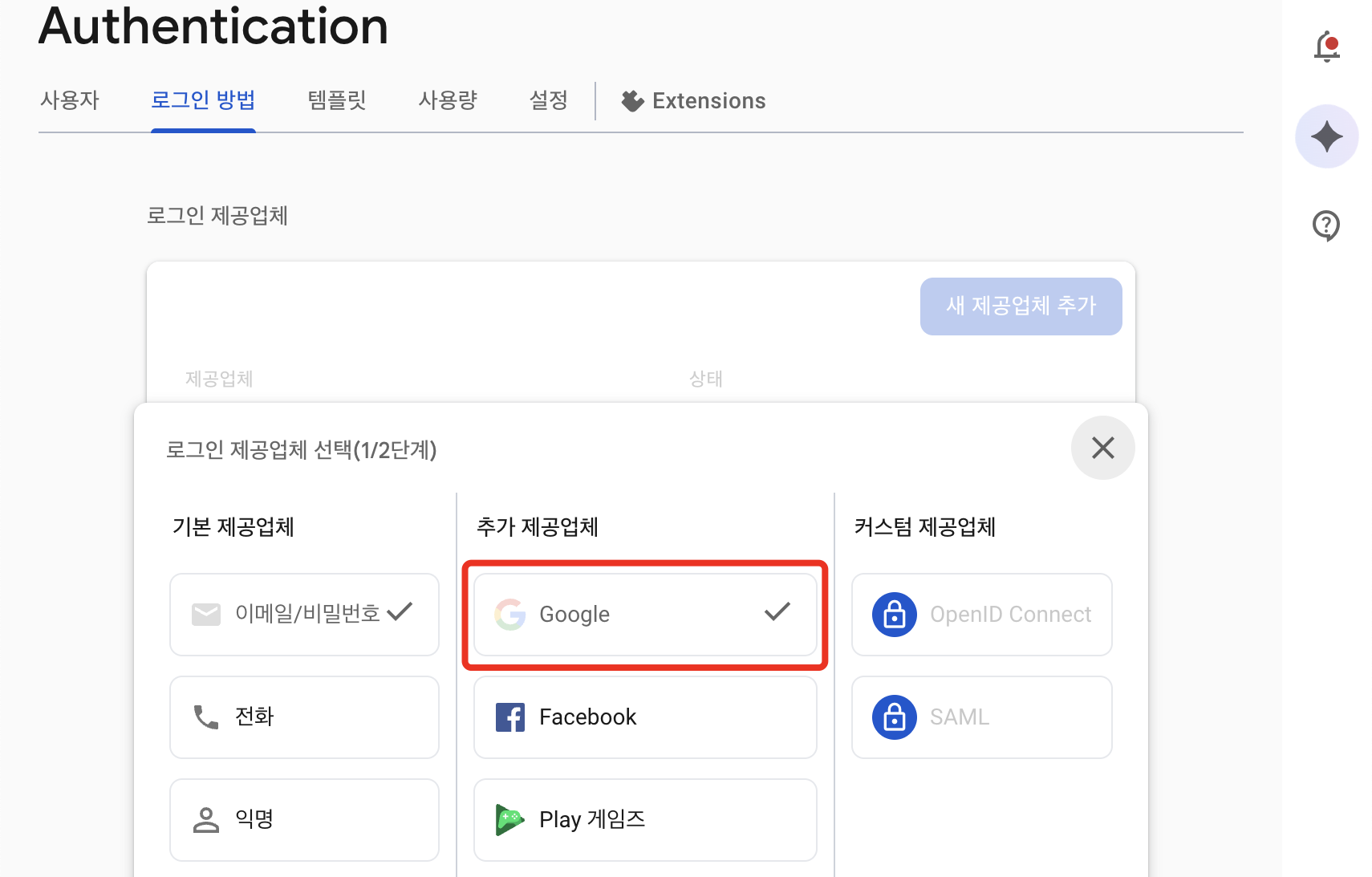
4번부터 어떻게 하라는건지 이해가 잘 안됐는데 아래처럼 하시면 되어요
참고로 공식문서의 코드는 이렇게 되어있고
guard let clientID = FirebaseApp.app()?.options.clientID else { return }

// Create Google Sign In configuration object.
let config = GIDConfiguration(clientID: clientID)
GIDSignIn.sharedInstance.configuration = config

// Start the sign in flow!
GIDSignIn.sharedInstance.signIn(withPresenting: self) { [unowned self] result, error in
  guard error == nil else {
    // ...
  }

  guard let user = result?.user,
    let idToken = user.idToken?.tokenString
  else {
    // ...
  }

  let credential = GoogleAuthProvider.credential(withIDToken: idToken,
                                                 accessToken: user.accessToken.tokenString)

  // ...
}
제 코드는 아래와 같습니다!
private func loginGoogle() {
    guard let clientID = FirebaseApp.app()?.options.clientID else { return }

    // Create Google Sign In configuration object.
    let config = GIDConfiguration(clientID: clientID)
    GIDSignIn.sharedInstance.configuration = config

    GIDSignIn.sharedInstance.signIn(withPresenting: self) { [unowned self] result, error in
      guard error == nil else { return }

      guard let user = result?.user,
            let idToken = user.idToken?.tokenString
      else { return }

      let credential = GoogleAuthProvider.credential(withIDToken: idToken,
                                                     accessToken: user.accessToken.tokenString)
      print("Google credential",credential)
      self.goHome()
    }
  }
거의 똑같쥬?
로그인이 완료된 뒤에는 goHome 메서드를 통해 제 앱의 홈화면으로 가도록 해줬어요
UIViewController의 extension
goHome 함수를 한 번 보자면!
extension UIViewController {
  func goHome() {
    guard let scene = UIApplication.shared.connectedScenes.first as? UIWindowScene,
          let window = scene.windows.first else { return }

    let tabBar = MainTabBarController()
    window.rootViewController = tabBar
    window.makeKeyAndVisible()
  }
}
이렇게 UIViewController의 extension으로 함수를 만들어 놨답니다?
이유는 이 프로젝트 여기저기서 goHome 함수를 쓸 일이 많을거 같아서요!
구글 로그인 방법은 너무 쉬워서 벌써 끝나 버였네요..
그럼 안녕~
'iOS > 흡구오디 -> 어딨쥐' 카테고리의 다른 글
| [흡구오디] firebase firestore 문서 업데이트하기 (0) | 2025.10.24 |
|---|---|
| [흡구오디] Xcode - 앱 이름 변경하기 (0) | 2025.10.03 |
| [흡구오디] Swift - firebase Authentication로 이메일 로그인 구현하기 (0) | 2025.10.03 |
| [흡구오디] 각 서비스별 로그인 버튼 가이드 따라가기 (0) | 2025.09.24 |
| [흡구오디] Swift - Cloud Storage로 사진 업로드/다운로드 하기 | 사진 업로드해서 보여주기 (0) | 2025.09.14 |


댓글